Creating Mobile Id
To create a Mobile ID credential do following steps
- Press "Add new user"

- You will see screen for adding a user and creating the Mobile ID.
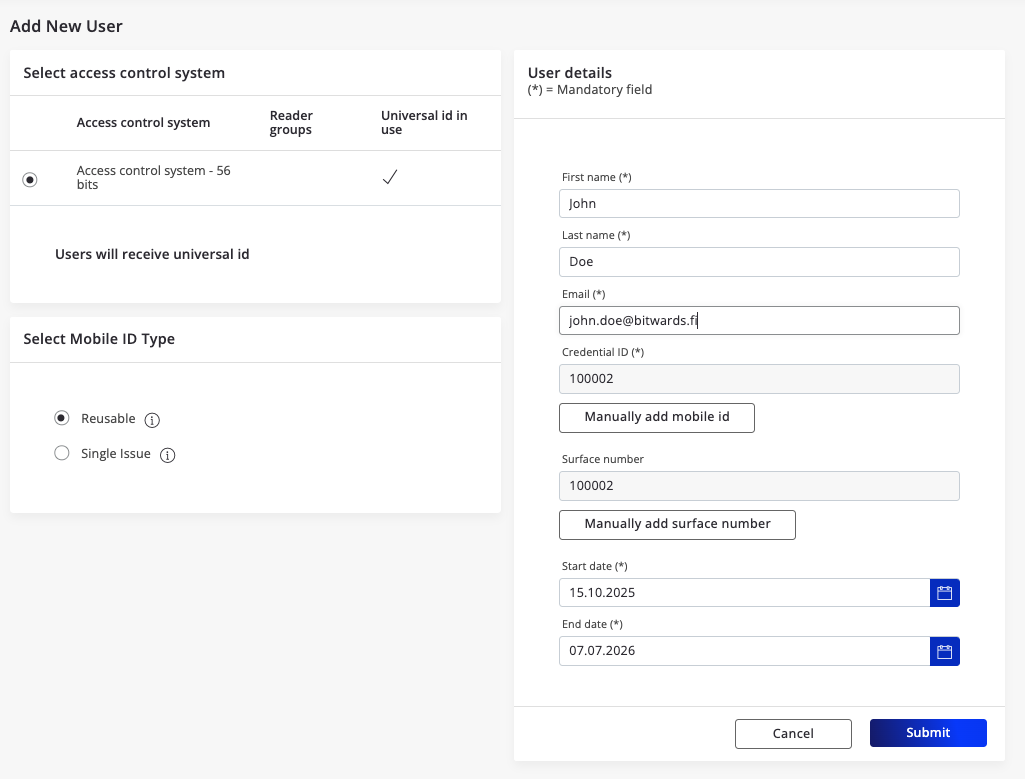
2.1 Select the Access control system
2.2 Select Mobile ID type. Choose between Reusable and Sigle Issue types.
2.3 Add user details name and the email.
2.4 Fulfill the credential information. Notice that if a ragne is predefined for access control system the next available value is automatically selected.
2.5 Mobile Id (credential) validity. Give the time you wish the credential is valid. The end date cannot be valid longer that the purchased reusable credential is valid.
Single issue credential has only start data when the credential become valid.
2.6 Press Submit button.
When the Mobile Id is creted succesfully you will see the message

What Happens Next?
-
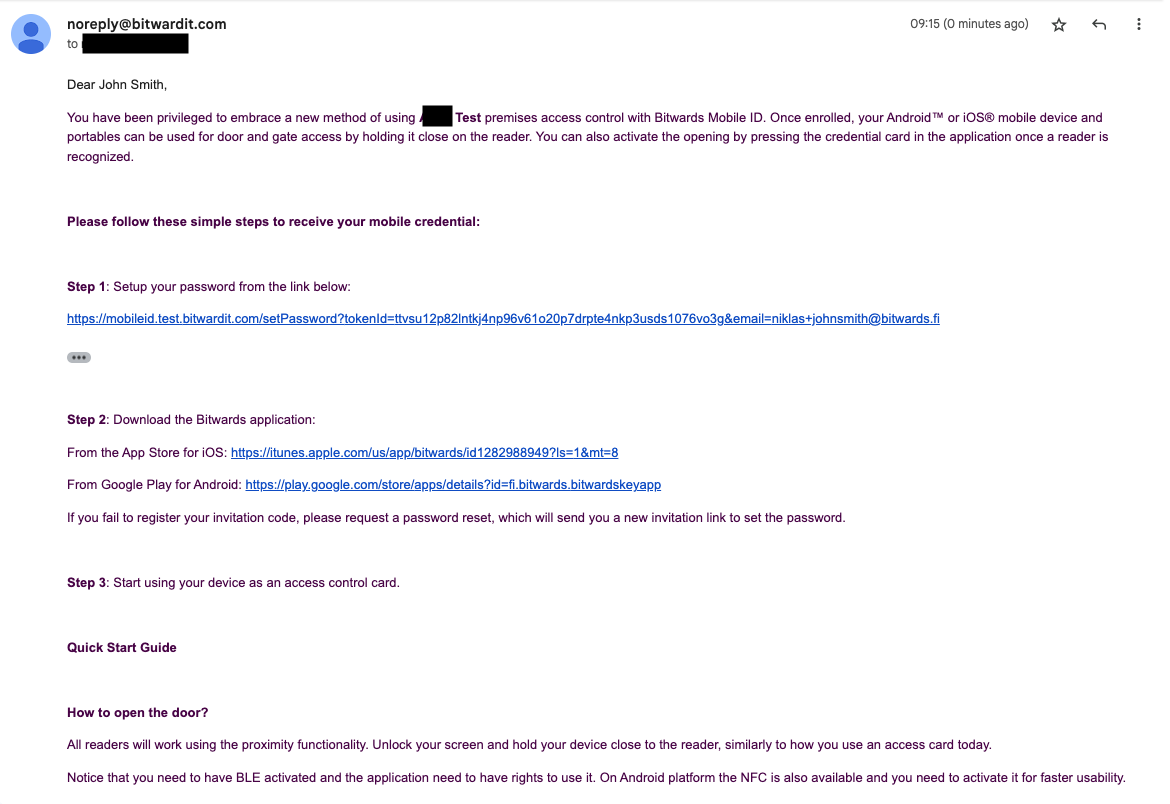
If user have not used Bitwards service(s) earlier the service will send an email invitation. The invitation contains instruction to set the password and then link for downloading the application is shown.
-
User either downloads the iOS or Android application
-
User login into the application
-
Instruction is shown in the application how to use the application with the access control readers.